
This feature allows you to share your vehicle’s real-time location directly from the mobile application. You can send a live tracking link to anyone for quick and easy location access.
To Get Started
- Log in to your account.
- Go to Home > Live Tracking Widget.
When you click on the Widget the live tracking screen will open.
- Tap on
 Share icon to share live location of vehicle, the following screen will open.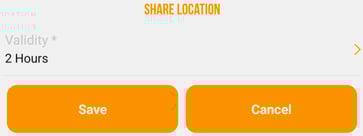
- Tap on Validity to choose the time period for which the link will remain active.
- Tap on Save to generate the link.
- Tap on Cancel to stop the process.
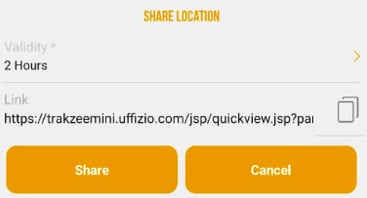
- Tap on Share, to share the link or Tap on
 copy icon to copy the link.
 - Tap on Cancel to stop the process.