
Parking Mode is a security feature on the platform that allows users to enable monitoring for a selected vehicle. When activated, the system continuously tracks the vehicle's status and sends alerts if the vehicle is moved from its parked position, ensuring enhanced security and peace of mind.
Please Note: Parking Mode is a security feature that monitors your vehicle and alerts you to any unauthorized movement or tampering while parked.
To Schedule The Parking Mode
- Log in to your account.
- Go to Profile > Parking Mode Schedule.
Upon clicking on the Parking mode schedule, users will be directed to the schedule Overview page, where they can easily view and manage all parking mode schedule records.
To Add Parking Mode Schedule.
- Click on the
 button.
 -
The following page will open, you now need to add the schedule details.
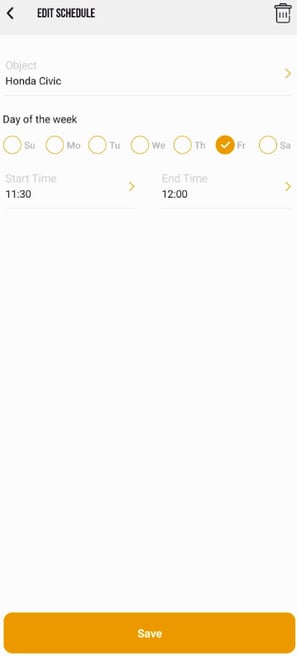
- From Vehicle, select for which vehicle you want to create the schedule.
- From Day of the week, Select for which day you want this schedule to be applicable.
- From Start Time & End Time, Select from when the parking mode will start and End.
- Click on Save Button, to create the Schedule.
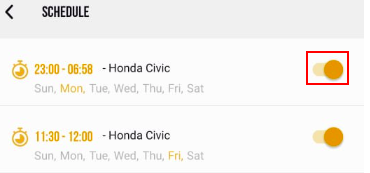
To Disable the Schedule.
- To disable the schedule click on the toogle button available on the overview page.
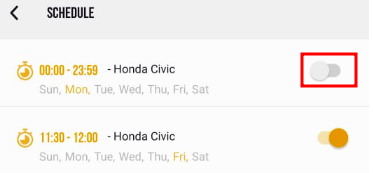
To Enable the Schedule.
- To enable the schedule click on the toogle button available on the overview page.
Learn How to edit Parking mode schedule fro mobile application.
Learn Hoe to Maually Turn On/Off the Parking Mode.