
The Emergency Contact section lets you add a trusted person whom you can call in urgent situations.
To Get Started
- Log in to your account.
- Go to Profile > Emergency Contacts.
Upon clicking on Emergency Contac, you will be directed to the Emergency Contact Overview page, where you can view and manage all the Contact records.
To Add Emergency Contact.
- Click on
 to add new contact.
 - The Following Screen will Open
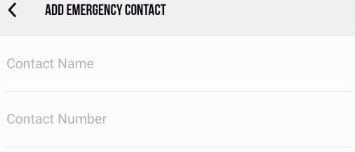
- In Contact Name, Enter the Name of the Contact.
- In Contact Number, Enter the Number of the Contact.
- Click on the Save button.
To Trigger the SOS for Emergency Conatact.
Emergency contact is kept on Quick dial by the software using the sos button, so that the user can reach out to contact quickly.
- Navigate to
 Home Screen.
 - Click on
 to trigger the emergency call to contact.