
The RTA Configure screen is used to establish the connection between Trakzee and the external Roads and Transport Authority (RTA) Registration Management System (RMS). Before vehicles can be registered or synchronized with the RMS platform, administrators must configure the RMS connection details on this screen.
The configuration includes the company for which the integration is enabled, the RMS server URL, and the authentication credentials required to communicate with the external system.
To Get Started
- Login to your account
- Go to setting > RTA RMS > Configure
To Configure RTA RMS
-
Click + button to add
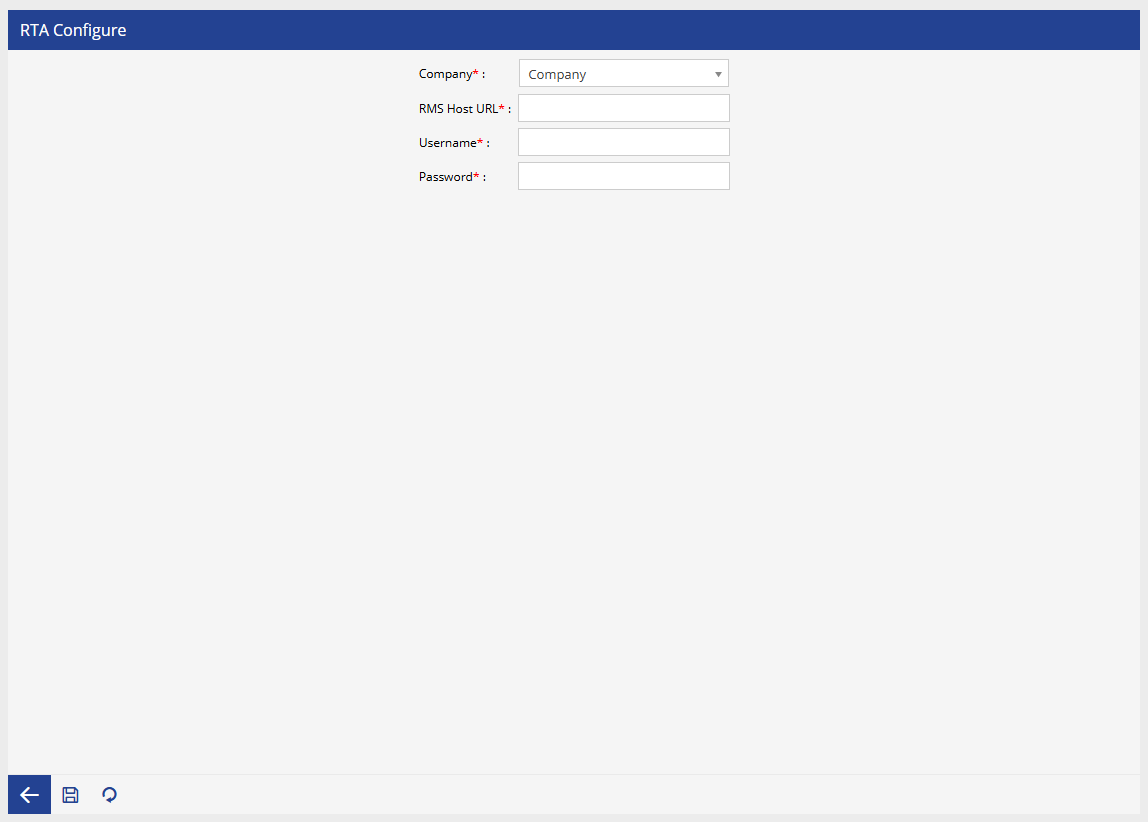
- Select the company for which the RMS integration will be configured.
- Enter the complete URL of the RMS server provided by the RTA authority.
- Enter the username used to authenticate with the RMS server.
- Enter the password associated with the RMS account.
- Click Save to store the configuration.
Once the configuration is saved successfully, the selected company can use the RTA Management module to manage vehicle registration details.