
The Item feature allows you to create and manage items used in the Job Module. These items can represent products, spare parts, materials, equipment, or services required while creating or executing a job. Maintaining an item master ensures consistency and simplifies job management.
To Get Started
- Log in to your account
- Go to setting > master > Item
To create an item
-
Click the + button to add a new item entry.
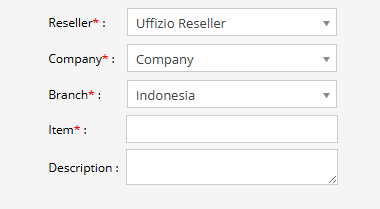
- Select the Reseller from the drop down.
- Select the Company from the drop down.
- Select the Branch from the drop down.
- Enter name of the Item which you want to use under Job.
- Enter Description for the item you have added.
- Select Save button for saving the whole details.