
The BLE Battery Sensor configuration enables users to monitor the battery level of the connected BLE Fuel Sensor. By configuring this sensor, the system can trigger alerts when the BLE Fuel Sensor battery level becomes low, ensuring timely maintenance or battery replacement. This helps maintain uninterrupted fuel monitoring and reliable sensor communication.
Before You Get Started
- Log in to your account.
- Go to Settings > General > Object.
- Double-click on the record for which you want to configure the SOS sensor
To Get Started
- Navigate to the Sensors tab.

To Calibrate Sensor
- Activate the digital port connection type by clicking on the checkbox given in the Active column.
- User can select the dedicated BLE Battery port in the list.

- Click on the Calibration
 button. A new window will appear.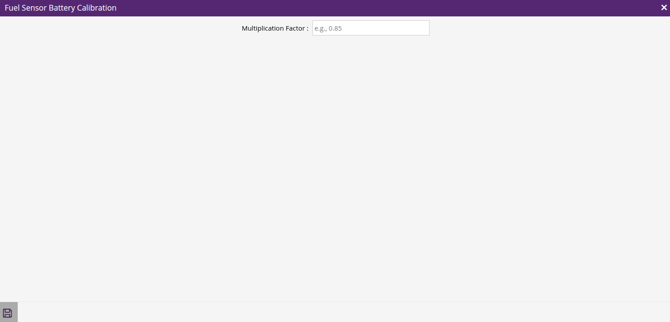
- Enter the Multiplication Factor, a unit correction value that adjusts raw data by multiplying it. This factor is determined based on the specific behavior of the device.
- Generally Multiplication Factor is kept as 1 or you can use the mentioned value in user manual or protocol.
- Enter the Multiplication Factor, a unit correction value that adjusts raw data by multiplying it. This factor is determined based on the specific behavior of the device.
- Click on the Save 💾 icon on the calibration window to save the entire configuration.
Please Note: BLE Battery Voltage alert can be configured for this sensor.
To Know more about BLE Battery Voltage Alert, Click here.