
The App Link feature enables users to efficiently manage their white-label project mobile applications and easily share this information through SMS or email.
Please Note: The Admin user can configure white-labeled or Non white-labeled application links from their account for specific user entities, such as Resellers, Companies, or Subusers. These links will then be visible to the designated user entities accordingly.
The App Link option will appear only if the application link has been configured for the particular user.
Before You Get Started
Learn how to configure the White-Labeled Application Link.
To Share the App Link
- Log in to your account.
- At the Bottom you will find the icons
- Click on Icon to share link.

- When you click on the Play store log or App store logo link, the popup window will appear,
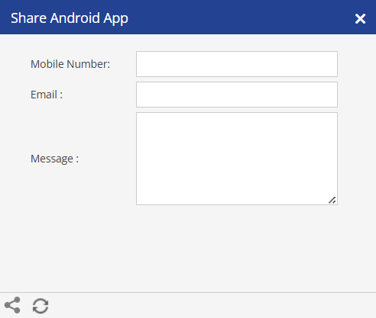
- You can share the application via SMS or email by specifying the recipient's Mobile number or Email address in the respective fields.
- Additionally, you can include a custom Message in the message field.
- Click Share
 to send the link.
Please Note: Email Configuration or SMS Configuration must be enabled on the particular user or its parent user to share the application information.