
Tokens represent unused licenses. When a vehicle is added and a token is allocated, the license is activated for the defined license validity period. Tokens flow hierarchically from Admin → Reseller → Company and, once allocated, cannot be returned.
Each token has its own expiry date, and the applied license also has a separate expiry period based on the license duration.
To get started:
- Login to your admin account.
- You will have the Available and expiry token on the headbar.

- On the same headbar you will get the whole process of token system.
- On Token Request you will get all the request of tokens made by your reseller.

- On Token Request you will get all the request of tokens made by your reseller.
-
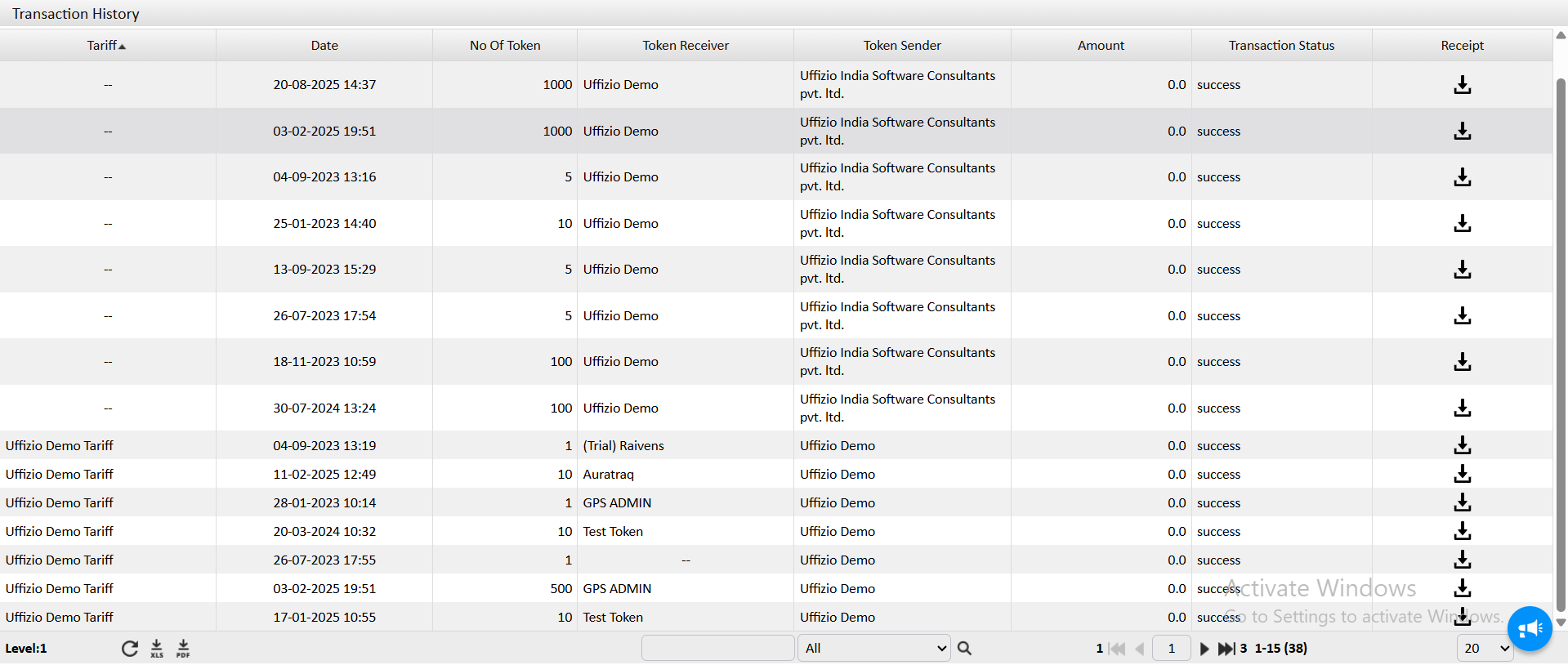
- On the Transaction History you will get all the transaction of tokens done within the system of your clients. You can download the receipt from the history screen.

- On Request New Token you can make request to your superior account for new tokens. Being an admin this screen helps you to purchase new tokens.

- On the Transaction History you will get all the transaction of tokens done within the system of your clients. You can download the receipt from the history screen.
You can also do token request and transfer of token from Payment module.