
The Startup Mobile Application is a comprehensive companion tool designed to provide users, resellers, and companies with quick and efficient access to their account details, vehicle data, and operational controls directly from their mobile devices.
It extends the core functionalities of the web platform, allowing users to monitor, manage, and control their business operations anytime and anywhere. The application ensures real-time connectivity, faster data access, and simplified workflows for every level of the user hierarchy.
To get started
- Download the Startupvts application either from Playstore for android or Appstore for IOS.
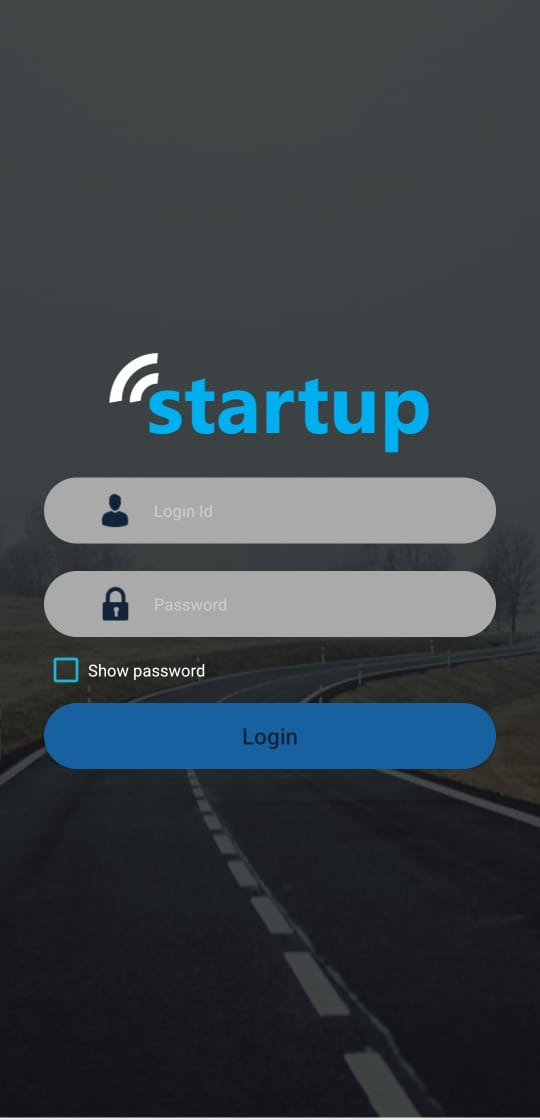
- Login to your account
- Enter your Login Id and Password
- Upon enabling the Show password, you will be able to see the actual pass instead of the encryption.
- Click Login to continue to your account.
Main Menu
The main menu allows users to easily navigate between different sections of the mobile application, such as Dashboard, Live Tracking, Vehicle Status, and more. It provides quick access to all major features in one place.
- At the top-left corner of the screen, you will find the menu (☰) icon, also known as the content icon.
- Tap on the menu icon to expand the navigation drawer.
- Once opened, the menu will display a list of all available screens in the application, including:
- Dashboard
- Live Tracking
- Vehicle Status
- Notification
- Travel Summary
- Trip Summary
- Reseller(If logged in from admin account)
- Company
- Branch
- User
- GPS Device
- Announcement
- Distance Summary
- Maintenance
- Vehicle Expire: You will get the list of vehicle about to be expired.
- Settings
- You can change password.
- You can set startup screen.
- You can set the notification setup of alerts.
- You can set up the map.
- You will get privacy policy.
- Parking
- Contact Us : You get the contact details for support.
- Log out icon at the bottom of the menu.