
A reminder rule is a feature that allows users to set up reminders for maintenance and renewal activities of the assets. Reminders can be set up for vehicle maintenance, driver license renewal, insurance renewal, and more.
Users have the ability to create personalized reminder rules according to their unique requirements and can specify their desired timings for these reminders.
Reminders can be categorized into three distinct types: Time-based Reminders, Distance-based Reminders, and Work Hour-based Reminders.
Time-based Reminders are the reminders that are set on the basis of time period. For example, a user can set a reminder rule to notify them when a state permit is due for renewal every year.
Distance-based Reminders are the reminders that are set on the basis of distance travelled. For example, a user can set a reminder to notify them when a vehicle is due for a service after travelling every 1500 kilometers.
To get started
- Log in to your account.
- Go to configuration→ Add Reminder.
To create a reminder
- Click on the
 button on the taskbar.
 - Select the company from the dropdown.
- Select the branc from the dropdown.
- Select the vehicle from the dropdown.
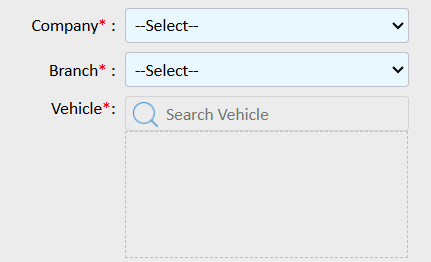
- Select maintenance type from the dropdown.
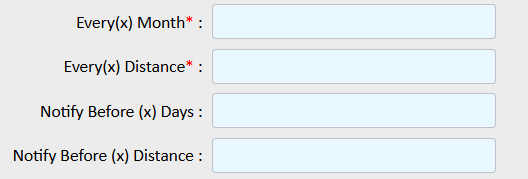
- Every(x) Month: Specify the number of months in this field to receive reminders on a monthly basis.
- Every(x) Distance: Please specify the distance at which you would like to receive a notification when your vehicle reaches a specified number of kilometers.
- Notify Before(x) Days: To receive a notification several days prior to the end of the month, please enter the desired number of days in this field.
- Notify Before(x) Distance: Please specify the distance at which you would like to be notified prior to your vehicle reaching the designated kilometer mark.
- You can provide the description for this reminder.
- You can select if notification should repeat on daily or not to be repeated.
- You can mention the notification time.
- Select the medium of notification.
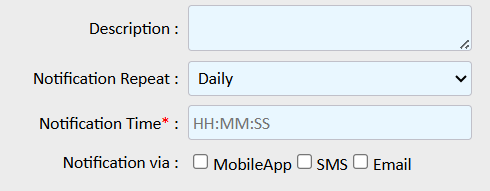
- Mobile app: You will get a pop-up notification in mobile application.
- Users: Select users from the dropdown list to whom you want to send reminder notifications.
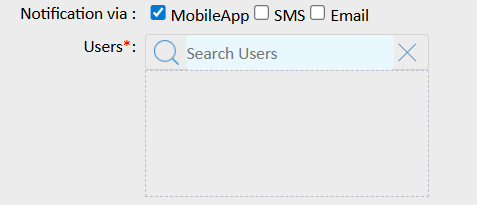
- Users: Select users from the dropdown list to whom you want to send reminder notifications.
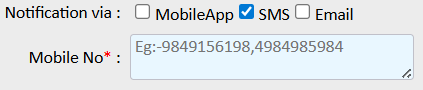
- SMS: Add the mobile number in the provided text box on which you want to send the reminder. Use a comma (,) as a separator if you are adding multiple mobile numbers.
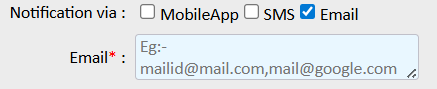
- Email: Add the email address to which you want to send the reminder. Use a comma (,) as a separator if you are adding multiple email addresses
- Mobile app: You will get a pop-up notification in mobile application.
- Click on the Save 💾 icon.