
The Immobilizer Overview screen provides a centralized view of all vehicles for which immobilization actions can be managed and monitored. It allows authorized users to check immobilizer status, send immobilize commands, and review immobilization history across companies and branches.
This module is mainly used for vehicle security, theft prevention, and operational control.
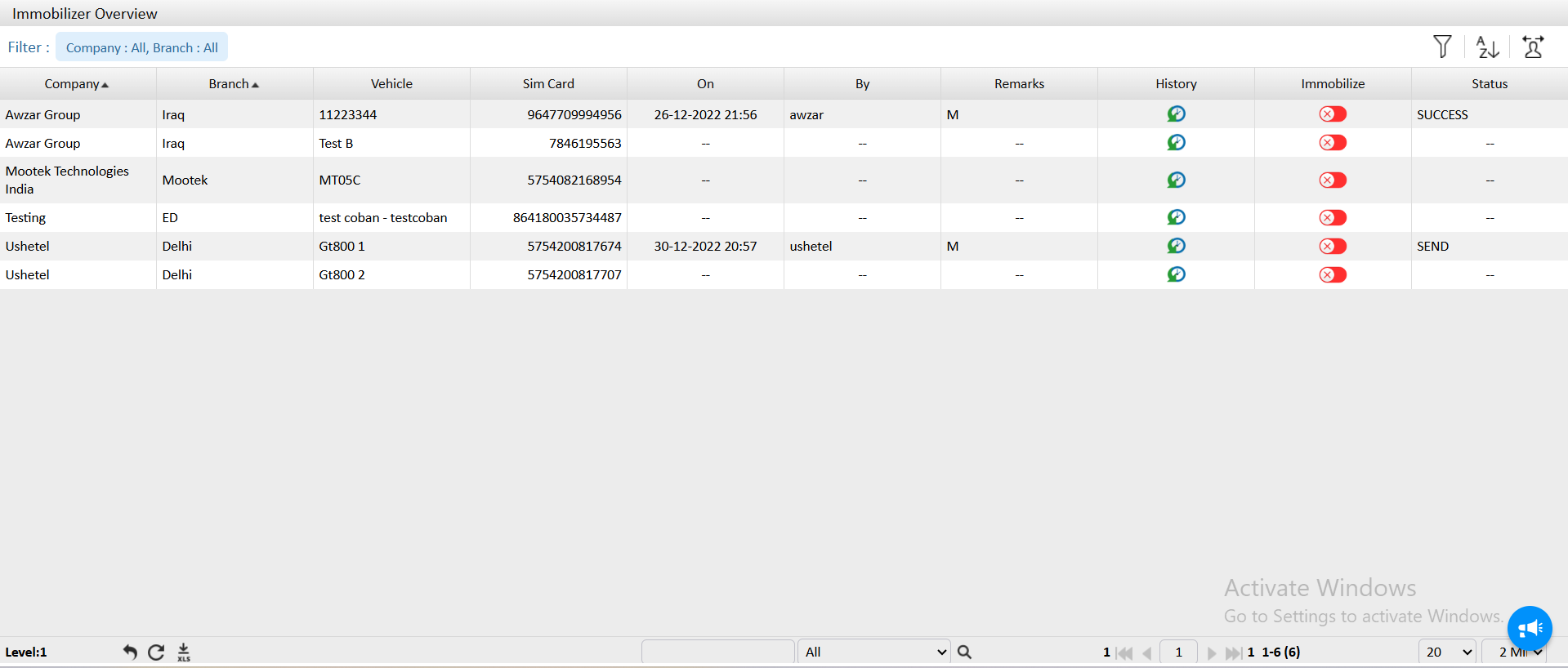
- Company: Displays the name of the company to which the vehicle belongs.
- Branch: Shows the specific branch or location under the selected company.
- Vehicle : Indicates the vehicle name or vehicle identifier registered in the system.
- Sim Card: Displays the SIM number associated with the tracking device installed in the vehicle.
- On:
- Shows the date and time when the immobilizer command was last triggered.
- -- indicates no immobilization command has been sent yet.
- By:
- Displays the username of the person who initiated the immobilization command.
- -- indicates no action taken.
- Remarks: Shows the remark mentioned at time of immobilisation.
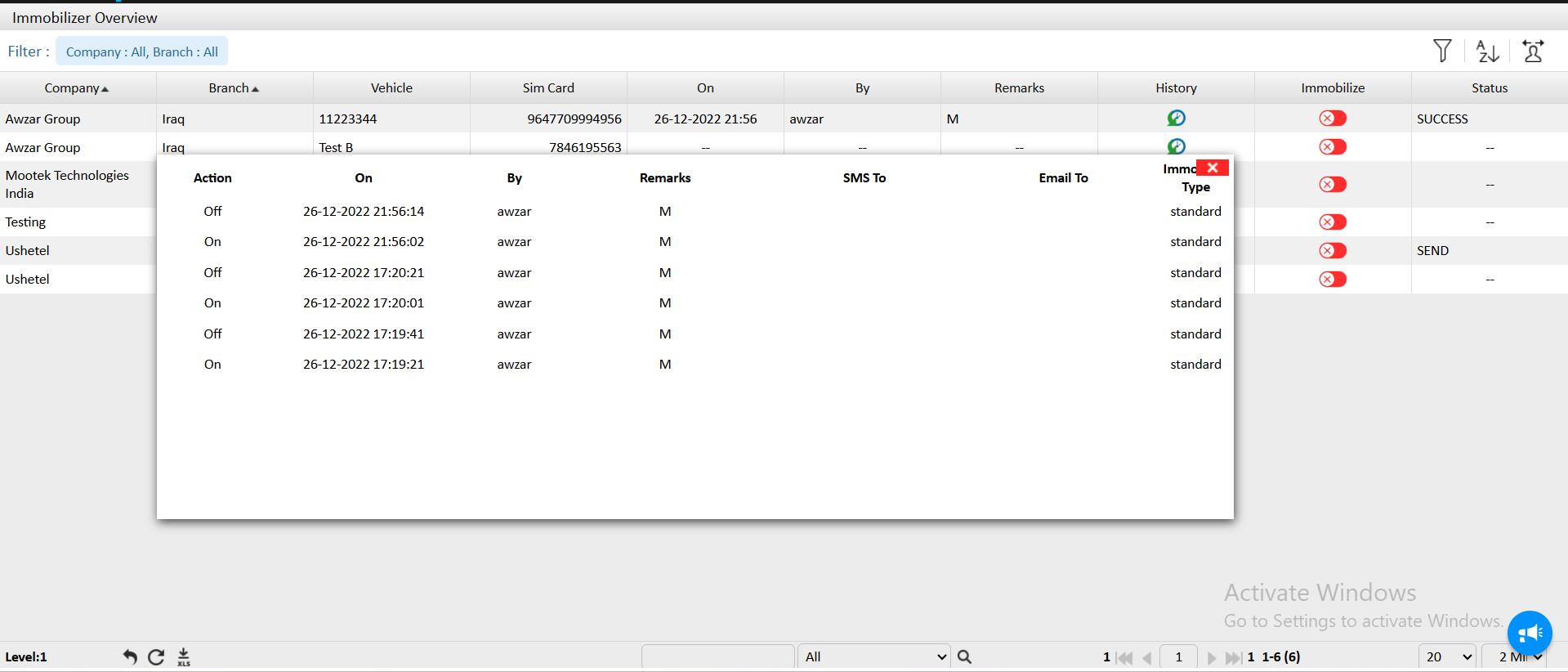
- History: Provides access to the immobilization history of the vehicle.
- Clicking the history icon opens a log of previous immobilize and release actions with timestamps and users.
- Immobilize:
- Displays the immobilize action button:
- Red icon indicates the vehicle is currently not immobilized
- Clicking this button (if authorized) sends an immobilization command to the vehicle
- Status:
- Shows the current status of the immobilization command, such as:
- SUCCESS – Command successfully executed
- SEND – Command sent and awaiting response
- -- – No command has been issued