
The Settings module in the Petzee app allows you to personalize your experience. From managing how notifications appear, to selecting your preferred map style. This guide explains each option to help you customize the app to your needs.
To Get Started
- Log in to your account.
- Go to Profile > Settings.
- The following screen will open.
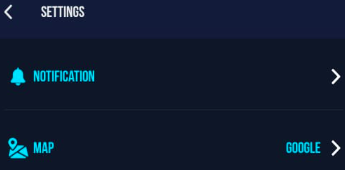
- Notification:
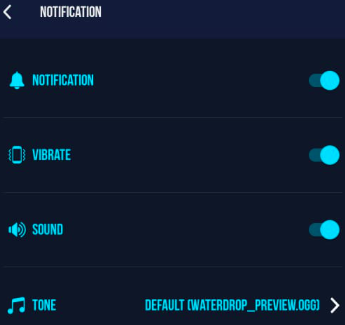
- From the Notification section, you can easily turn system notifications on or off using the toggle switch.
- From the Vibrate option, you can enable or disable vibration for notification using the toggle switch.
- From the Sound option, you can turn notification sound on or off using the toggle switch.
- From the Custom Notification Ringtone option, you can choose a personalized ringtone for your notifications.
- you can choose which map type or provider will be used as the default view in the app.
- From the Traffic Layer option, you can turn live traffic information on or off using the toggle switch.
- Use the Save and Cancel buttons to apply or discard any changes you make in the Map setting.Map:
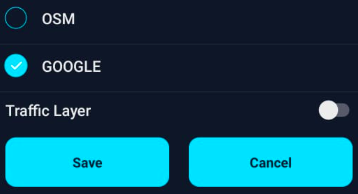
- Tap on Save to save the change.
- Tap on Cancel to discard the change.
- Notification: