
The IP Camera feature allows administrators to register and manage IP cameras. By configuring the camera's streaming URL and associating it with a specific vehicle (object), users can access live video feeds alongside GPS tracking, enabling enhanced fleet monitoring and real-time visual verification.
To Get Started
- Log in to your account
- Go to setting > master > IP Camera
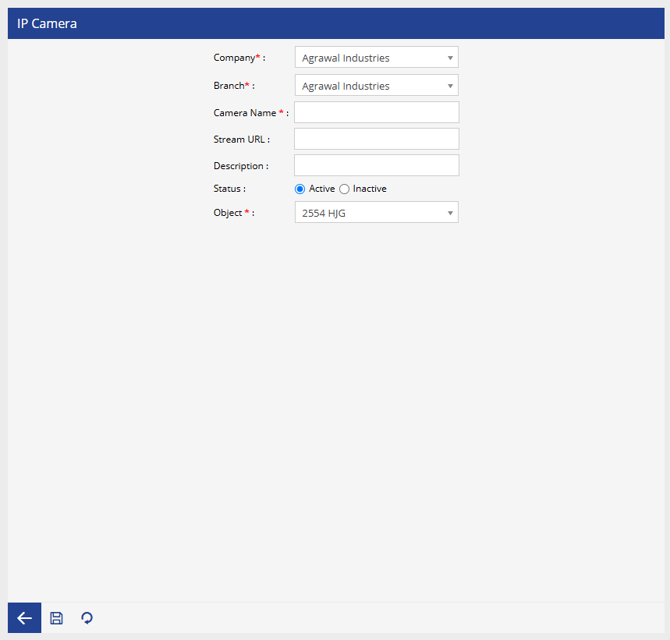
To Configure an IP Camera
- Select the Company from the drop down.
- Select the Branch from the drop down
- Enter a unique Camera Name.
- Enter the Stream URL provided by the IP camera.
- Enter a Description (Optional)
- Select the Status:
- Active
- Inactive
- Select the Object (vehicle) to associate with the camera.
- Click Save to complete the configuration.
Note: Ensure that the stream URL is reachable and supports live streaming. An invalid or inaccessible URL may prevent the camera feed from being displayed.