The Vehicle Deactivation screen is used to remove an already registered vehicle and its associated VLTD device details from the system. This action is typically performed in cases such as incorrect entry, vehicle decommissioning, device replacement, or ownership changes.
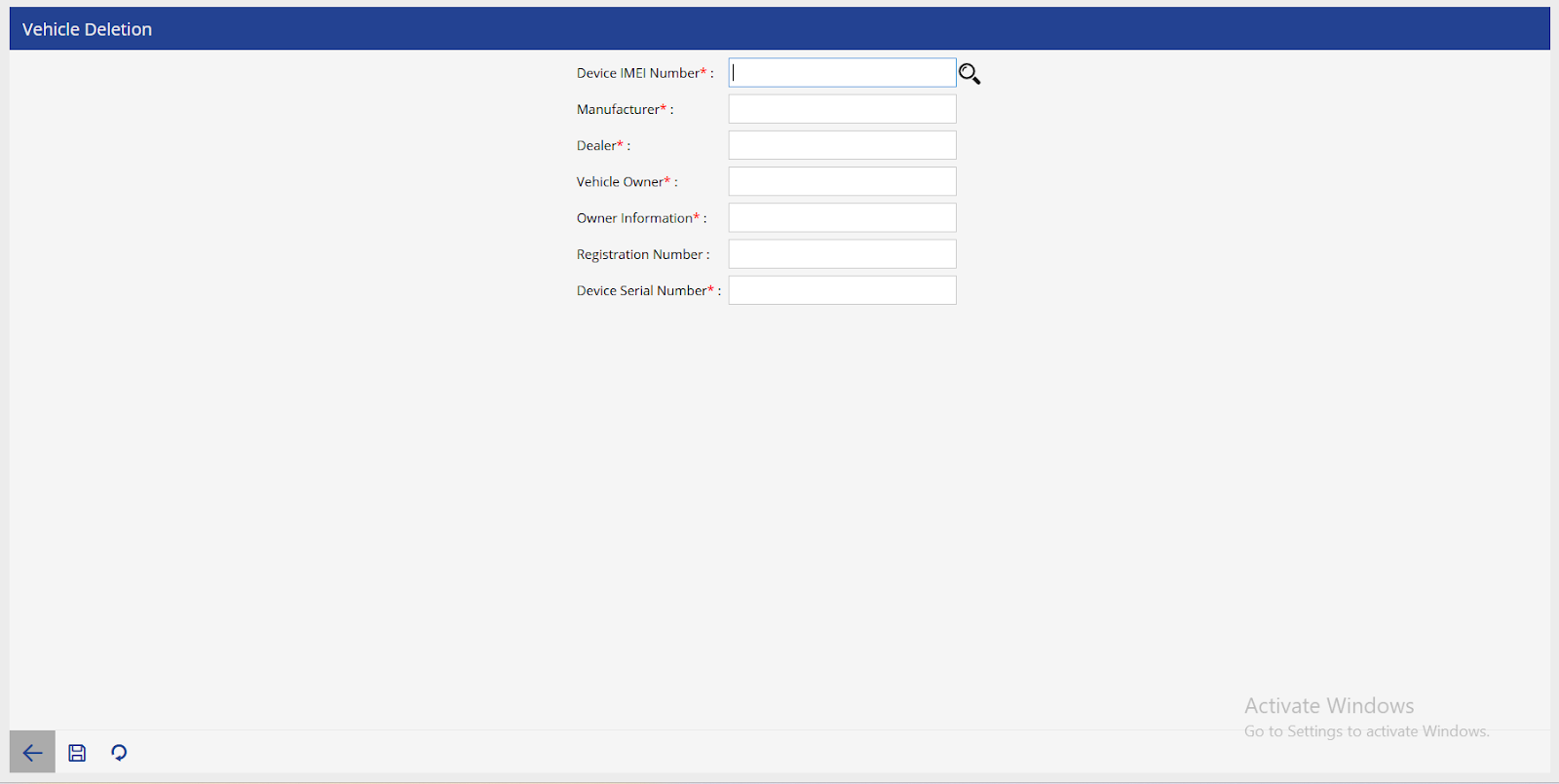
To get started
- Login to your Manufacturer account.
- Go to Settings > Master> Vehicle Deletion
- Click on the ➕ icon on the taskbar below.

To deactivate a vehicle
- Mention device IMEI number and search.
- The following details attached with the IMEI number will be displayed:
- Manufacturer name
- Dealer name
- Vehicle Owner name
- Owner Information
- Registration Number
- Device Serial Number
- Upon selecting the save button. The device will be automatically deactivated.