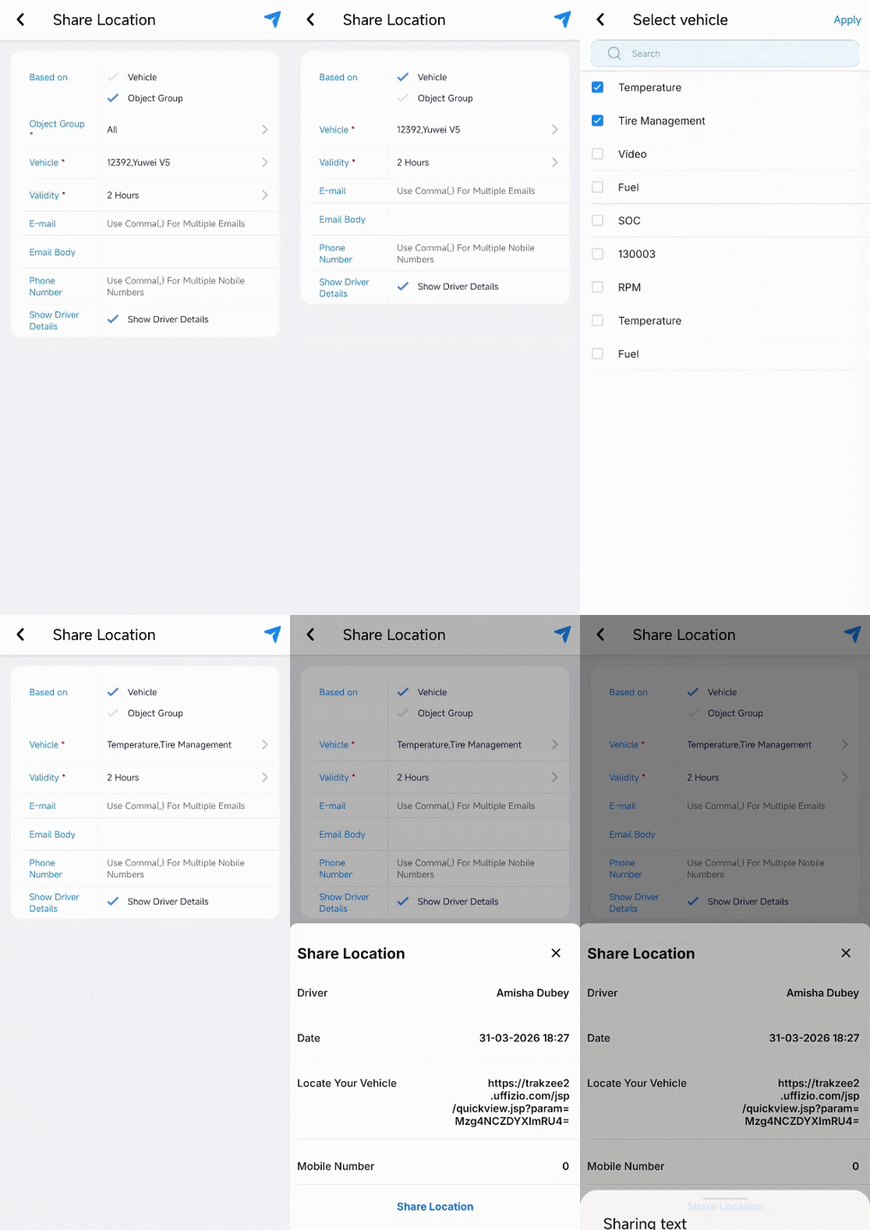
This feature allows you to share your vehicle’s real-time location directly from the mobile application. You can send a live tracking link to anyone for quick and easy location access.
To Get Started
- Log in to your account.
- Go to Live Tracking > Tap on three dots
 icon > Share Location.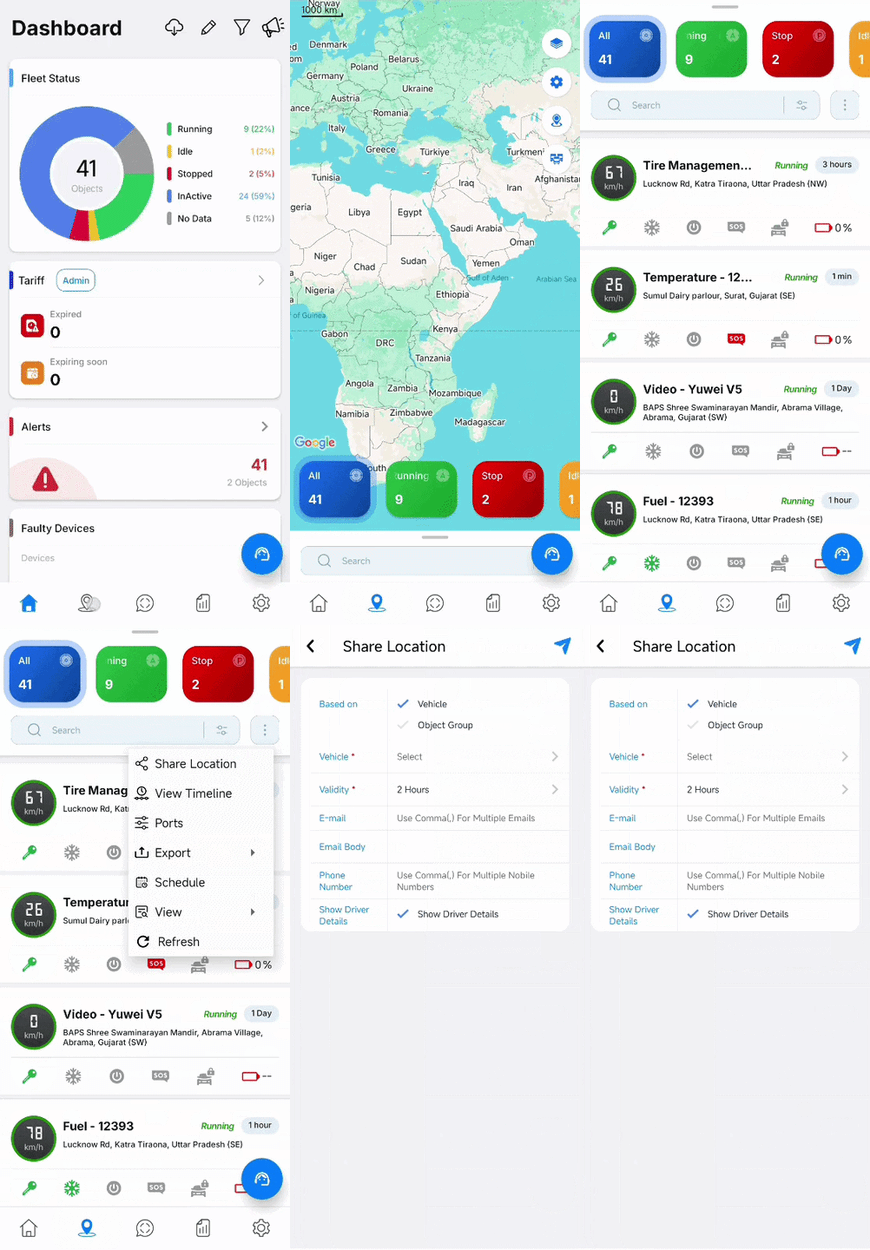
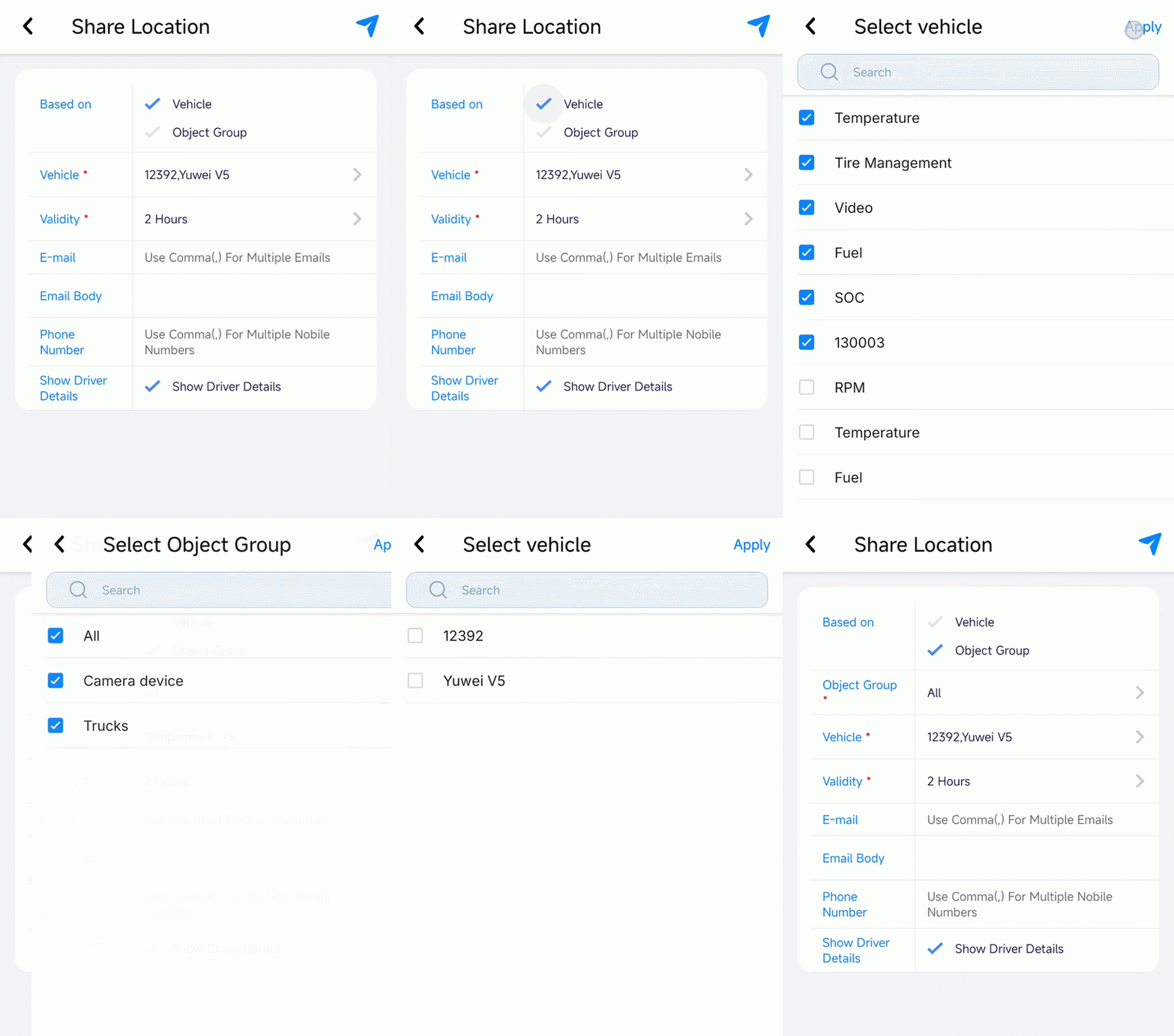
- From Based on, select either Vehicle or Object Group to define how you want to view the vehcile list.
- Select Vehicle, to get the list of all vehicle in the company.
- Select Object Group, To get the list of vehicle based on specific Group.
- From Object Group, select the desired group to display the relevant vehicles.
- From Vehicle, select the specific vehicle for which you want to share the location.
- From Validity, select the time range for which the link will remain active. Users can also choose to include Geofence and Address details while sharing the location.
Please Note: If Geofence or Address is selected, the shared link will automatically expire once the vehicle reaches the specified location.
- In Email, enter the email address to which you want to send the tracking link.
Please Note: user can enter multiple address using "," comma.
- In Email Body, enter the message you want to include in the email.
Please Note: Email API must be configured to send tracking link on email address.
- In Phone Number, enter the mobile number to which you want to send the tracking link.
Please Note:
-
user can enter multiple mobile number using "," comma.
- SMS API must be configured to send tracking link on mobile number.
- Select Show Driver details, to show the driver info with the tracking link page.
- Click on the share
 icon to generate the link.
 - Click on Share Location to share the tracking link.