
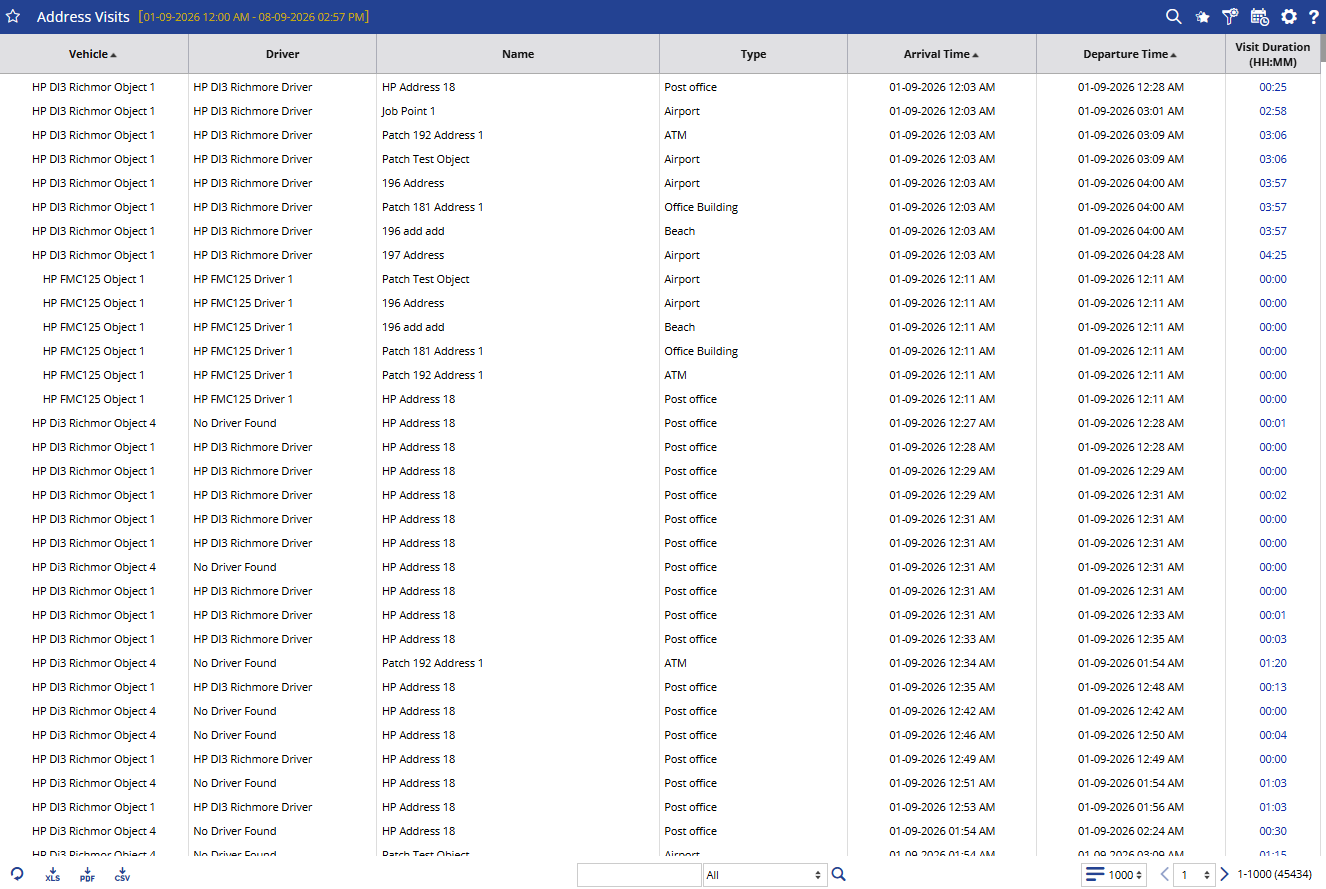
The Address Visits Report shows the addresses visited by selected vehicles during a specific period.
It helps you understand where a vehicle visited, when it arrived, when it left, and how long it stayed at that location.
Benefits
- Verify vehicle visits to specific locations.
- Monitor time spent at each address.
- Improve visibility of field operations.
- Support visit and route verification.
- Identify unusual visit patterns for further investigation.
How to Access
- Reports-->Geofence-Address-->Address
Filters
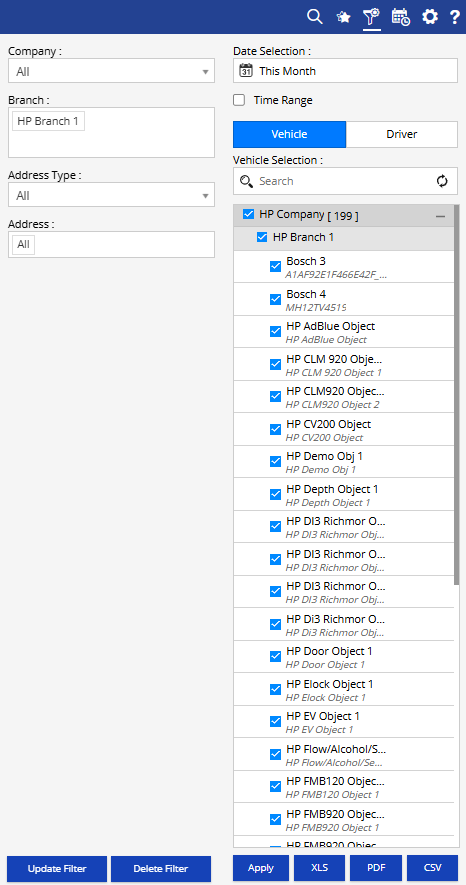
- Company: Select the required company.
- Branch: Select the required branch.
- Address Type: Select the type of address you want to review.
- Address: Select a specific address when required.
- Date Selection: Select the required date or date range.
- Time Range: Enable this option when you need to check visits within a specific time period.
- Vehicle / Driver: Select whether you want to view visits by Vehicle or Driver, then select the required vehicle(s) or driver(s).
- Click Apply to generate the report.
Additional options:
- Update Filter: Update the existing filter selection.
- Delete Filter: Remove the saved filter.
- XLS: Export the report to Excel.
- PDF: Export the report to PDF.
- CSV: Export the report to CSV.
How to Read
Read the report from a visit and duration perspective:
- Vehicle + Driver: Identify who/which vehicle made the visit.
- Name + Type: Understand which address was visited and what type of location it was.
- Arrival Time: Check when the vehicle reached the location.
- Departure Time: Check when the vehicle left.
- Visit Duration: Understand how long the vehicle stayed at the location.
Example:
If you want to verify whether a vehicle visited a particular customer location, select the vehicle and address, then check the Arrival Time, Departure Time, and Visit Duration to understand the visit.
Take Action
- Verify whether a vehicle visited a particular location.
- Check the time spent at an address.
- Identify unusually long or short visits.
- Review vehicle movement against planned visits.
- Investigate repeated visits to a specific address.
Important Notes
- Report results depend on the selected date, address, vehicle/driver, and other filters.
- Visit duration is calculated based on the recorded arrival and departure times.
- Address information depends on the addresses configured in the system.