
The Transport Contract Creation module enables organizations to create legally compliant transport service contracts directly within Trakzee. It captures all company, client, service, vehicle, commercial, and legal information required to generate a standardized Transport Contract PDF in accordance with Colombian transport regulations.
Instead of preparing contracts manually using spreadsheets, this module centralizes all required information, automatically populates data from existing company, vehicle, and driver records, and generates a professional contract ready for download and distribution.
To Get Started
- Login to your account
- Go to setting > master > Contract Generation
To Create a Transport Contract
-
Click + to create contract.
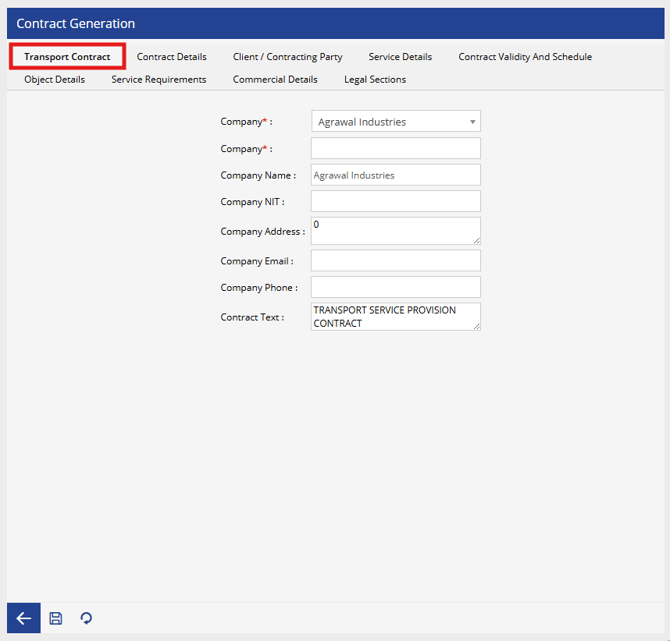
- In the Tab, Transport Contract
- Select the company issuing the contract.
- Displays the legal company name.
- Displays the company's tax identification number (Colombia).
- Enter Company address.
- Enter Company email address.
- Enter Company contact number.
- Displays the predefined contract title.
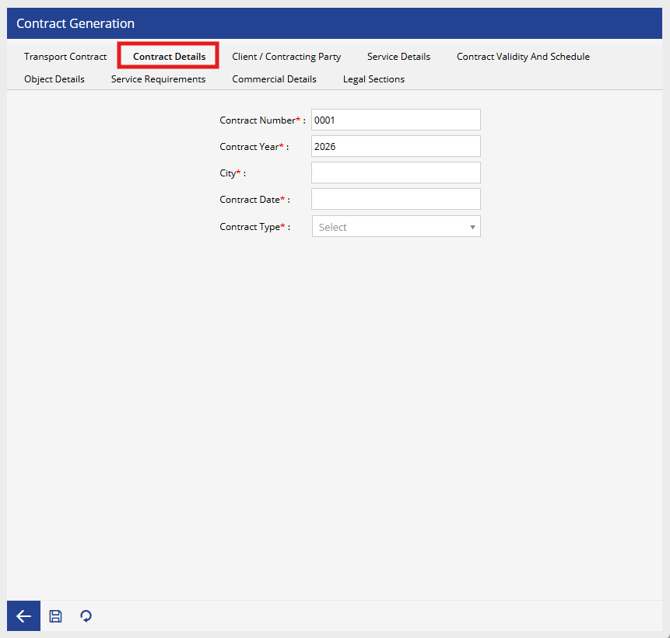
- In the Tab, Contract Details
- Enter Unique contract number.
- Enter Year of contract generation.
- Enter City where the contract is executed.
- Enter Date of contract creation.
- Select the applicable Contract Type.
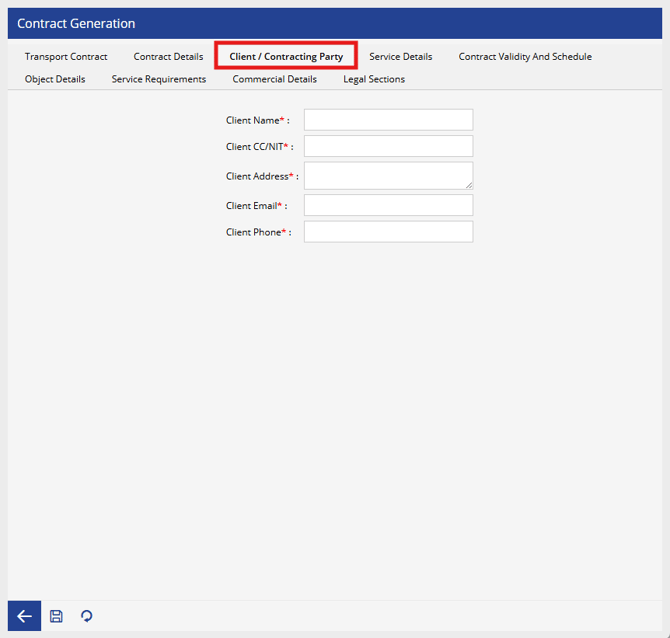
- In the Tab, Client/Contracting Party
- Mention name of the contracting organization or customer.
- Enter client identification or tax number.
- Enter Client address.
- Enter Client email address.
- Enter Client contact number.
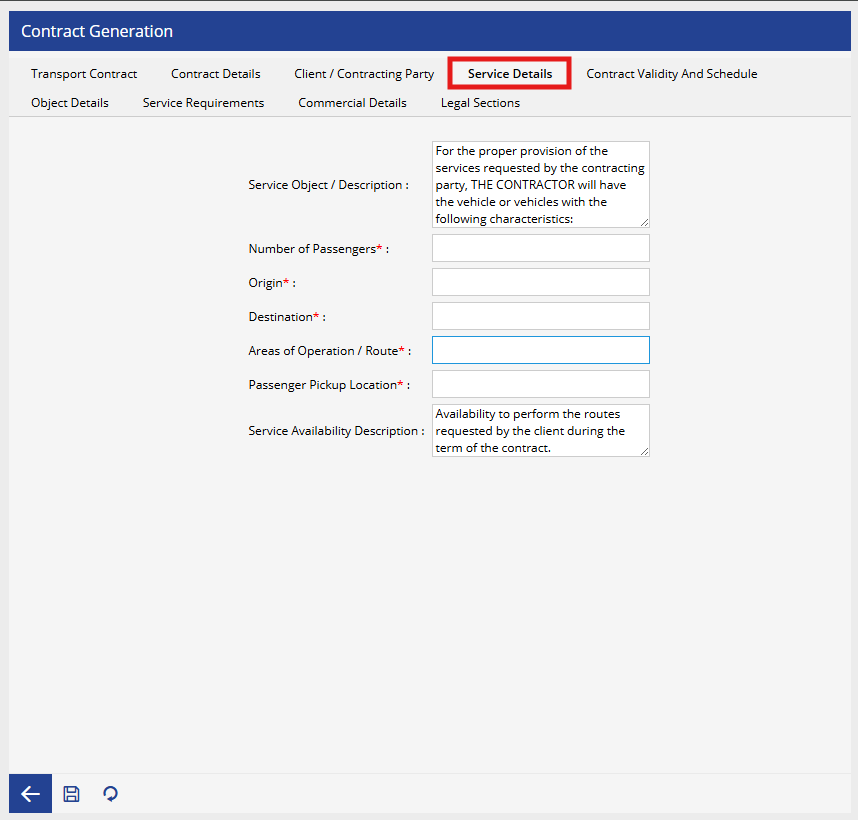
- In the Tab, Service Details
- Enter Purpose or description of the transport service.
- Define maximum number of passengers covered by the contract.
- Enter Starting location of the service.
- Enter Destination location.
- Enter Approved operating route or area.
- Enter Passenger boarding location
- Enter Service availability details during the contract period.
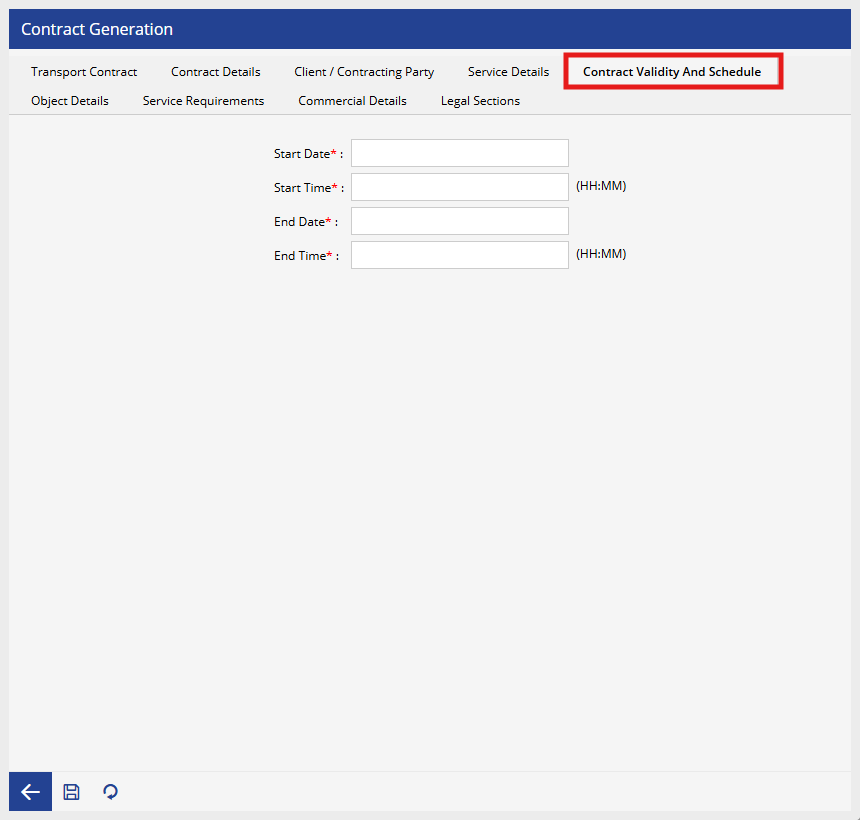
- In the Tab, Contract Validity and Schedule
- Enter Contract start date.
- Enter Service start time.
- Enter Contract end date.
- Enter Service end time.
- In the Tab, Object Details
- Select the vehicle and other details will automatically be fetched.
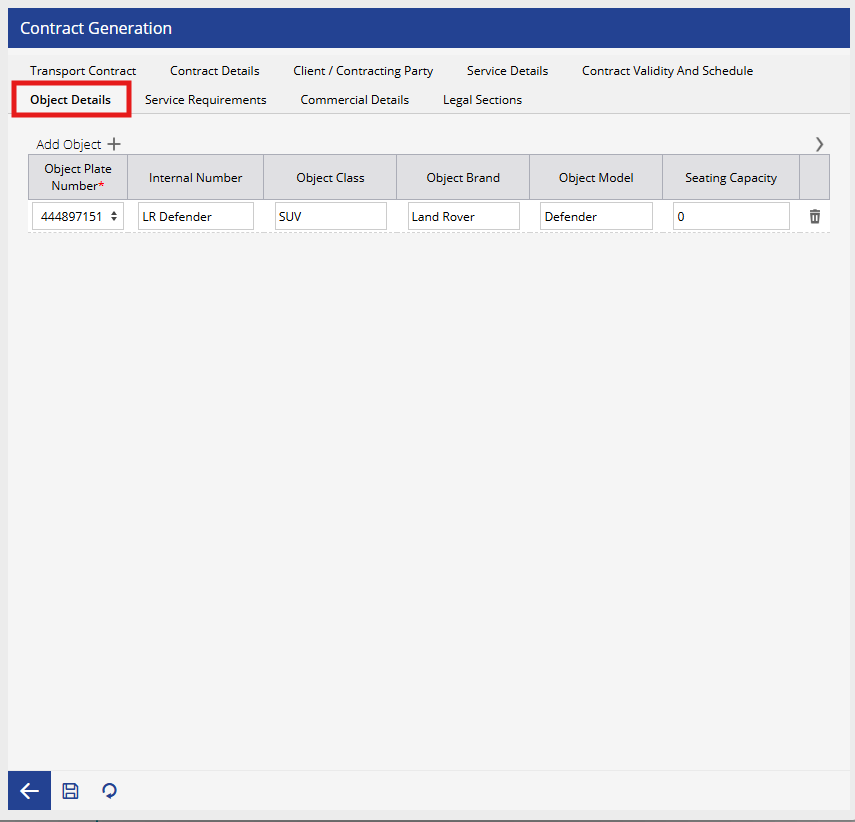
- Select the vehicle and other details will automatically be fetched.
- In the Tab, Service Reuqirement
- Specify optional service facilities.
- Two Drivers
- TV
- Air Conditioning
- Escort Required
- Bathroom
- Travel Insurance
- Each option can be configured as True or False depending on the agreed service.
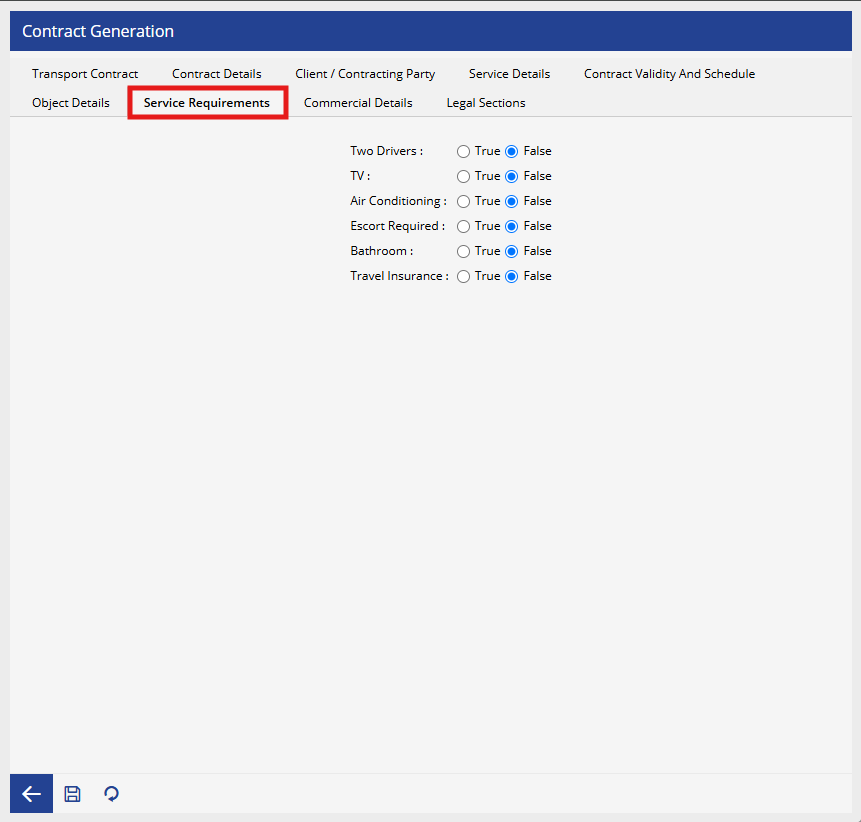
- Specify optional service facilities.
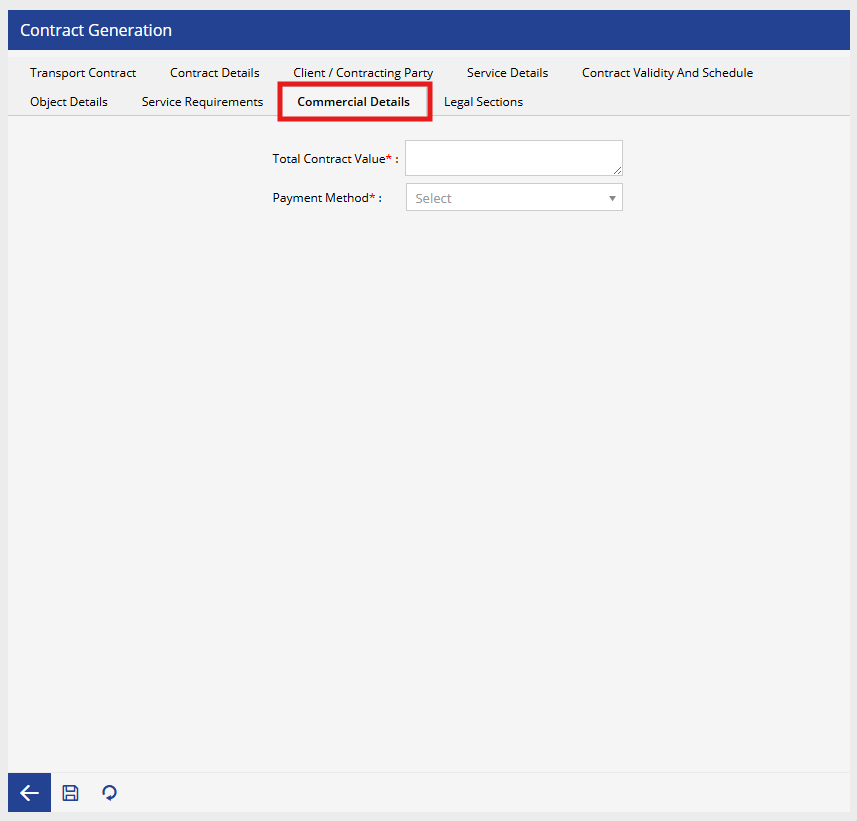
- In the Tab, Commercial Details
- Enter Total value of the contract.
- Select the applicable payment method
- In the Tab, Legal Sections
- This section contains the legal clauses included in the contract.
- Conditions
- Contract Object
- Contractor Obligations
- Client Obligations
- Labor Exclusion Clause
- Penalty Clause
- Data Protection Clause
- These sections are preconfigured to comply with regulatory requirements.
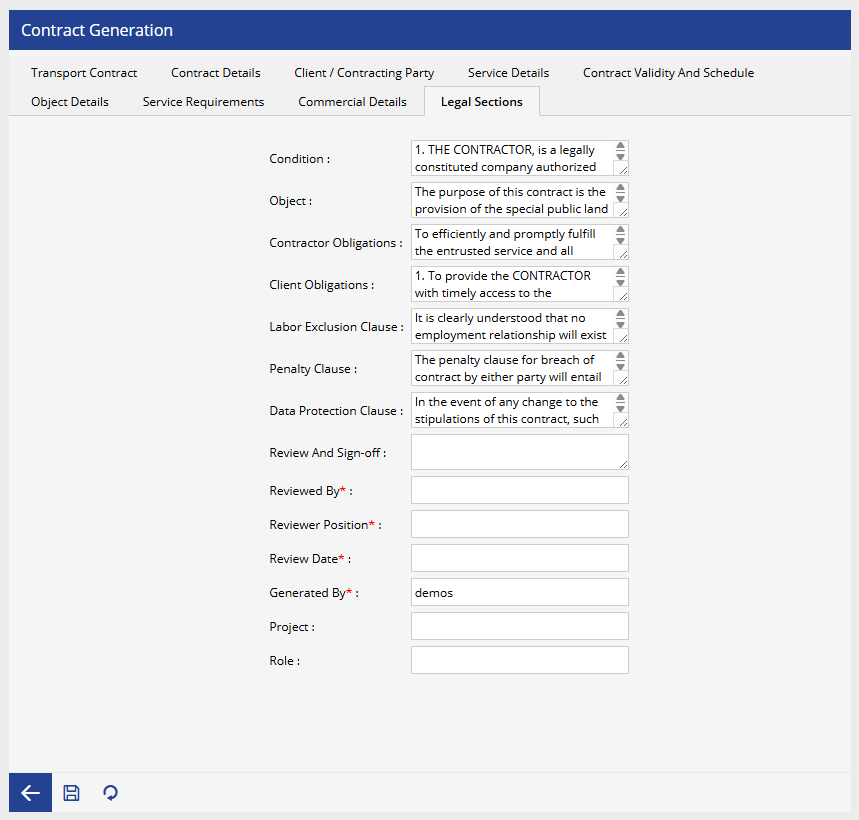
- This section contains the legal clauses included in the contract.
- Click the save button.
Note: A Transport Contract must be created successfully before one or more FUEC (Formato Único de Extracto de Contrato) documents can be generated for the associated vehicles. Each FUEC references an existing transport contract and reuses its information to ensure consistency and compliance.