
Upon successful login, you will be redirected to the Dashboard screen.
- The Dashboard displays a Status Widget that gives a quick overview of your fleet.
- It shows the total number of vehicles and their current status — Running, Stop, Idle, Inactive, and No Data.
- At the bottom there is a Alert icon which shows number of alerts generated.
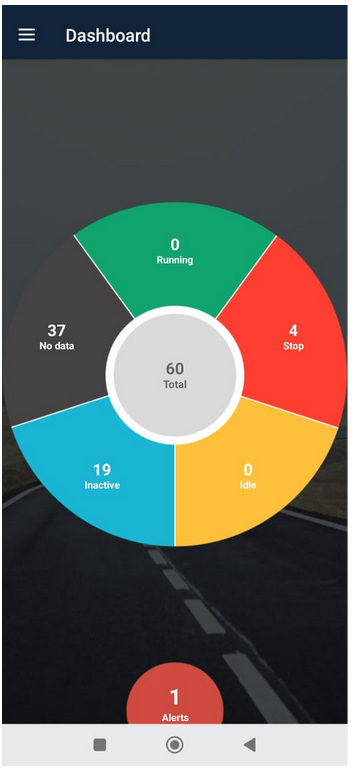
Tap on any section of the Status Widget (for example, Stop or Inactive) to view detailed vehicle information. You will be redirected to the Vehicle Status screen.
Alert Icon
Tap on any section of the Alert icon.
You are redirected to notification.