
Expenses are the costs incurred in managing and maintaining assets or objects in the fleet. These include a wide range of costs such as fuel and maintenance.
To get started
- Login to your account.
- Go to Configuration→Add Expense.
- You are redirected to the Add Expense overview.
- Select the filter details
- Select company form the dropdown.
- Select branch from the dropdown
- Select if you wish to see Fuel , Maintenance or all type of expense.
- Duration for which you want to see the expense data.
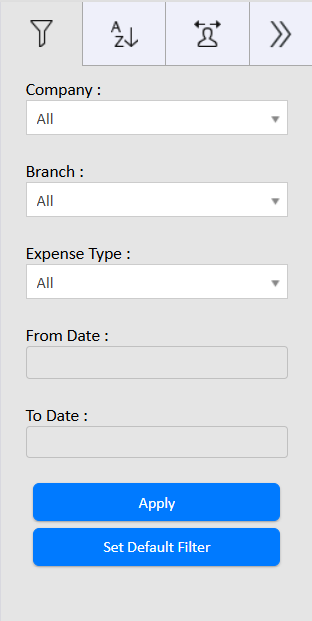
- Select apply to generate the data.
- You can get all the expenses information which were added for that duration.
- Click on the ➕ icon on the taskbar below.

- Select the company from the dropdown under which the expense is added.
- Select the branch from the dropdown under which the expense is added.
- Select the vehicle from the dropdown.
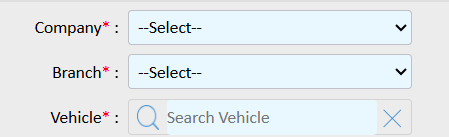
- Select the expense type, Fuel or Maintenance.
- Fuel
- Select the Fuel station from dropdown or you can create by selecting add new.
- Select if Full filled or partial filled.
- Select the fuel type from drop down.
- Mention the Filled up liter of the refill done.
- Mention the total amount of this refil done.
- Mention the current odometer.
- Select the dateand time of the expense.
- You can also mention the description of the expense.

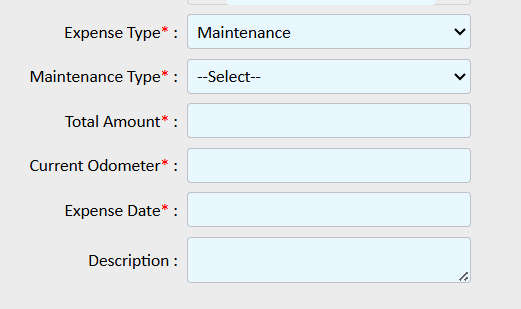
- Maintenance
- Select the maintenance type from dropdown.
- Mention the total amount of this refil done.
- Mention the current odometer.
- Select the dateand time of the expense.
- You can also mention the description of the expense.
- Fuel
- Select
 to save the alert.