
The Data Access screen is part of the system's settings module, which allows Admins or Resellers to customize data access and other preferences for Company users.
To Get Started
- Login to your account.
- Go to Settings > General > Company
- Double-click on the account for which you want to provide data access rights.
- Navigate to the Data Access tab.
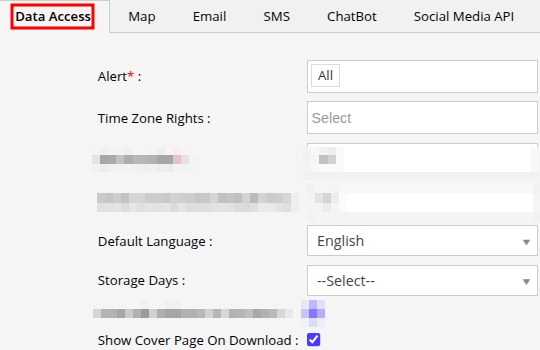
- In the Alert field, you can choose the specific alerts that you want the reseller to access. This will enable the company to create alerts based on the rights you have granted.
- Company can be granted Multiple Time Zone rights, allowing them to manage various company accounts operating in different time zones.
- Select the Default Language from the drop-down list. This will be the language in which the company will have the analytics within the system.
- You can Configure the Data Storage Days for the company.
- If you want to have the cover page (Title Page) when you download the reports, then click on the checkbox to enable Show Cover Page on Download.
- Save the settings by clicking on the Save 💾 icon.