
The Speed Consideration Moment plays a crucial role in assessing vehicle movement according to the configured speed settings. If the ignition port is not connected, the system will consider the vehicle STOP until it detects a speed reading that exceeds the specified limit.
Please Note: The default speed consideration moment is set to 5. The Super Manufacturer or manufacturer user can modify it according to the requirement for their Dealer users.
To Get Started
- Login to your account
- Go to Settings > General > Dealer
- Double-click on the Dealer account for which you want to set up Speed Consideration Moment.
- Navigate to Rule.
- Click on Add New. A new window labeled Dealer Rule will open.

- In the Speed Consideration Moment field, define the speed limit up to which the system has to consider the vehicle as STOP.
- Eg: If the Vehicle speed is above 5 it will be considered as running, if thr vehicle speed is below 5 it will be considered as stop.
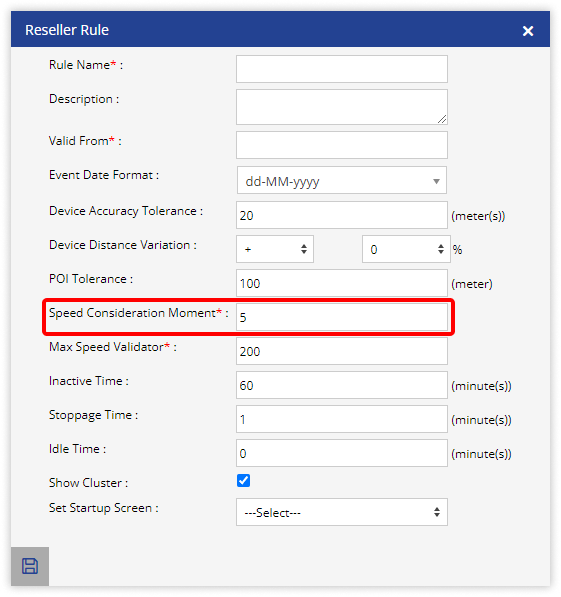
- Eg: If the Vehicle speed is above 5 it will be considered as running, if thr vehicle speed is below 5 it will be considered as stop.
- Click on Save 💾 icon.