
The Max Speed Validator is designed to ensure that if the device records a speed exceeding the specified limit, the system will neglect that reading and instead display the defined maximum speed. Super Manufacturer or Manufacturers can set up Max Speed Validator for their Dealers.
To Get Started
- Login to the Super Manufacturer or Manufacturer account
- Go to Settings > General > Dealer
- Double-click on the Dealer account for which you want to set up Max Speed Validator.
- Navigate to Rule.
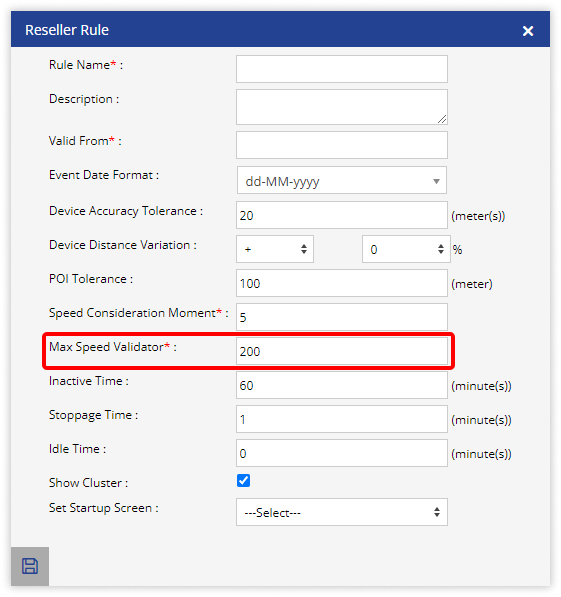
- Click on Add New. A new window labeled Dealer Rule will open.

- In the Max Speed Validator field, enter the maximum speed of the vehicle that needs to be considered.
- Click on Save 💾 icon.